How to add Sources to Cydia | Step-by-Step Guide

In this iPhone step-by-step guide, you will learn how to add source/repo to cydia.

Lets get started.

Step One
Launch Cydia by tapping on Cydia icon from your Springboard.
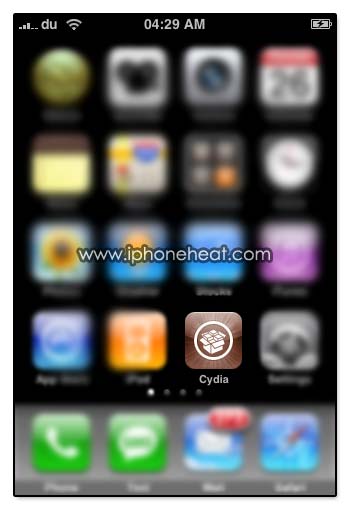
add-source-to-cydia-01

Step Two

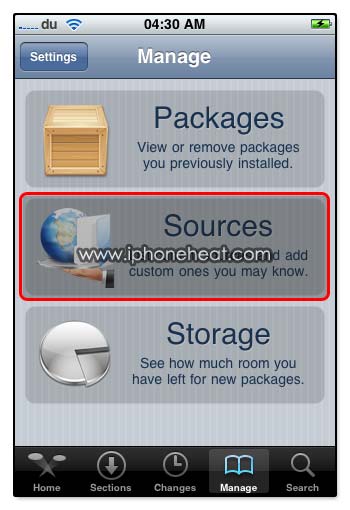
Here’s Welcome screen of Cydia. Tap the Manage tab available at the bottom of the screen.

On the next screen, Tap on Sources section to get the list of Cydia sources.
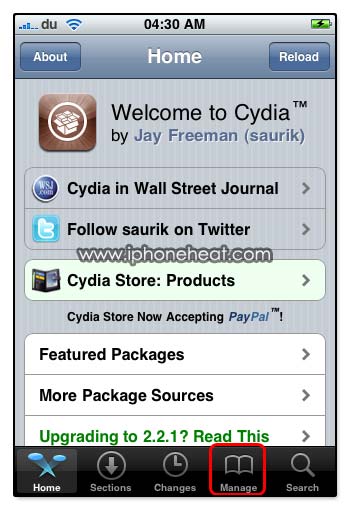
add-source-to-cydia-02add-source-to-cydia-03

Step Three

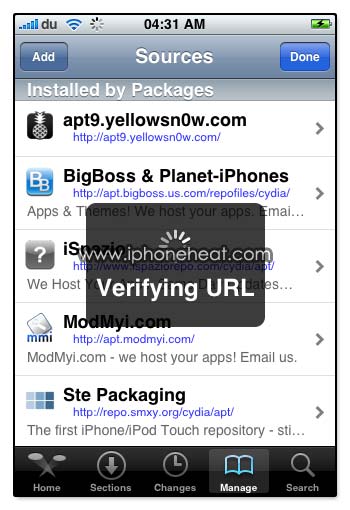
Here you will see the list of Cydia sources “Entered by User” and “Installed by Packages”.

Tap on Edit button on the top right. After that you will see the Add button appears at the top Left of the screen.
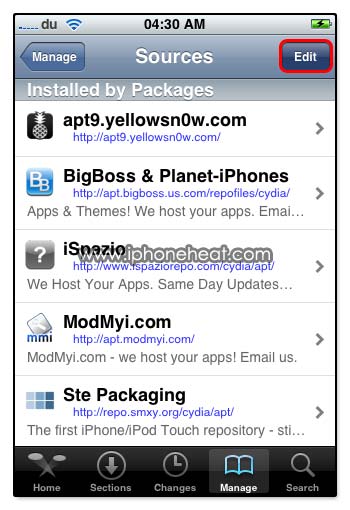
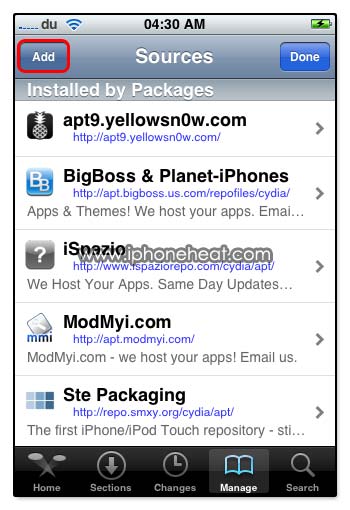
add-source-to-cydia-04add-source-to-cydia-05

Step Four

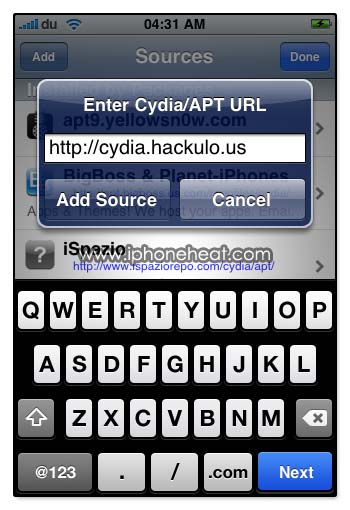
By Tapping the Add Button as shown above, “Enter Cydia/APT URL” popup will appear. Here you can add your desired Cydia Source/repo.

After entering the Cydia Source press Add Source button. It will start verifying the Source URL.
add-source-to-cydia-06add-source-to-cydia-07

Step Five

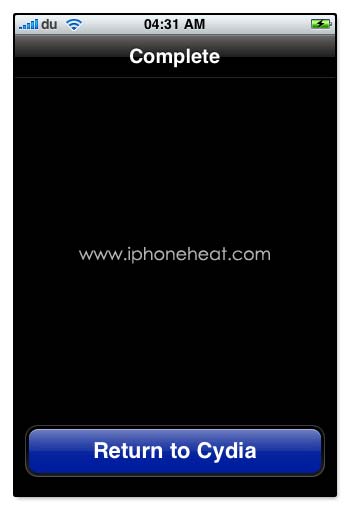
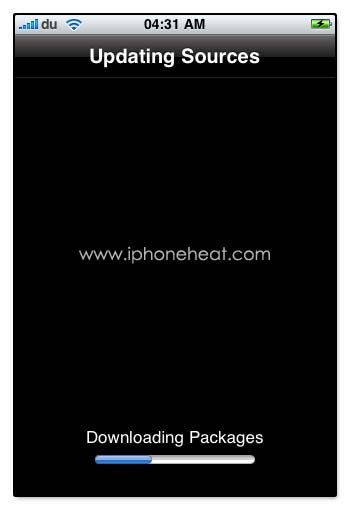
Wait until Cydia download and update the sources list. When done! Press the big Return to Cydia button.
add-source-to-cydia-09add-source-to-cydia-11

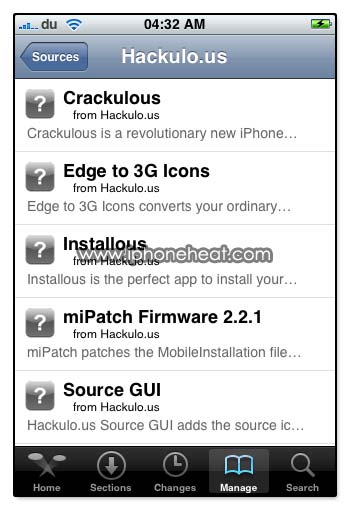
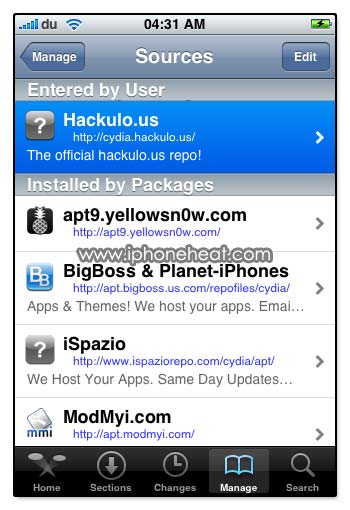
Now you can see, there’s a new Source/Repo added to Cydia Sources.

By Tapping the newly added Source you will find list of packages available in that source.
add-source-to-cydia-12add-source-to-cydia-13

If this page or section of the page needs to be updated, Submit Request

Share/Save this Post

  • Digg
  • Twitter
  • StumbleUpon
  • Facebook
  • Reddit
  • del.icio.us

Comments:

  1. adhiraj 3 May 2009 at 1:33 am #

    when i click on manage , the only thing that comes is installed packages !
    I cant add source
    please help me !

    • bob 27 December 2009 at 2:19 am #

      you go into the corner hit edit and then on the opposite corner it will have add

      • chandru 23 June 2010 at 11:40 pm #

        Hi,
        Even I have the same problem. I mean I Jailbroke my iphone 3g which is having ios4 with baseband 05.13.04. When i navigate to cydia, the homepage is not being displayed it says “Network Error – Unable to Load (The internet connection appears to be offline) and also if when i tried to add the source repo666.ultrasn0w.com. But it says “Did not find repository”.

        I have full internet connection, other applications like gmail and all is working fine.

        Does any one else is getting the same issue? If any one has the solution for this issue, please feel free to provide it. As i am eagerly waiting to unlock my iphone 3g.

        Many Thanks in Advance

        • iPhoneHeat 24 June 2010 at 4:30 am #

          There’s something wrong with the Servers .. so try again later

  2. tomislav 26 December 2009 at 8:46 am #

    i have iphone 2g to 3.1.2 and i cannot add sources help me

  3. Jay 25 January 2010 at 3:24 am #

    Tried installing hackulos after I did that I can’t see anything , it say installed but nothing show up also error.can u help

  4. rune 25 January 2010 at 2:22 pm #

    good

  5. iPodGuy 23 March 2010 at 1:23 am #

    HELP! Whenever I tap add and then type in my URL, it goes onto the “verifying URL” and then after 5 seconds it crashes and I return to the Home Screen. Also, when I search for any packages, all that comes up are system files that are pre-installed! Whenever i try and download something it says “the source for winterboard (example) cannot be found.”
    ARGH!
    Please help.

    • iPhoneHeat 23 March 2010 at 1:24 am #

      did you update the Cydia first?

      • iPodGuy 23 March 2010 at 1:44 am #

        i don’t know how!
        whenever i click refresh on the change menu, it errors: Error: Refreshing Data failed to fetch: and then a whole load of cydia repos.

  6. ck1058 26 June 2010 at 3:51 pm #

    HI,
    When i go onto cydia, its the right logo it just dosent load, there are no sources and when trying to add any source ncluding sauriks it tells me there is no t=internet connection however i am fully conected to my wirefi… any ideas greatfull guys!!
    Thanks!

    • iPhoneHeat 26 June 2010 at 10:03 pm #

      disable 3g
      turn off the wifi
      chk in safari browser if wifi is working fine
      otherwise reset network settings
      jst make sure internet in working fine before opening the cydia


Leave a Reply