This page is dedicated to PwnageTool jailbreak tool that allows you to create a custom firmware while preserving the baseband so you may unlock your iPhone later. Here we have covered everything you need to know about the PwnageTool jailbreak iPhone, iPad, and iPod Touch.
This page covers:
- What is PwnageTool?
- Download PwnageTool
- How to Jailbreak iOS 5.1.1 with PwnageTool 5.1.1
- How to Jailbreak iPhone 3.1.3 Firmware
- How to unlock iPhone 3GS, 3G with UltraSn0w
What is PwnageTool?
 PwnageTool lets you create a custom firmware, just like Sn0wbreeze, to jailbreak iPhone, iPad, and iPod Touch. PwnageTool is the best solutions for UltraSn0w or Gevey SIM dependant iPhone users. PwnageTool not only jailbreaks your iOS device, it also preserves your iPhone baseband for unlocking with UltraSnow and Gevey SIM. PwnageTool is only available for Mac users. Windows users can jailbreak using Sn0wbreeze.
If you unlock your iPhone with ultrasn0w or a commercial method, you must use PwnageTool to avoid updating your baseband otherwise you’ll lose the unlock.
Download PwnageTool
PwnageTool is available for Mac OS X only. You can download it from the links below…
Disclaimer: These guides are for testing and educational purposes only. Use them at your own risk, we cannot be held responsible if anything goes wrong.
How to Jailbreak iOS 5.1.1 with PwnageTool 5.1.1
You can create a custom firmware and jailbreak following devices and firmware using PwnageTool:
- iOS 5.1.1
- iPhone 4, iPhone 3GS
- iPod Touch 4G, iPod Touch 3G
- iPad 1
Notes
- PwnageTool does NOT support any newer devices.
- PwnageTool jailbreak is recommended for iPhone unlockers only. iPad, iPod Touch and those iPhone users who don’t depend on unlocking and don’t want to preserve baseband, follow the easier RedSn0w or Absinthe guides.
Let’s create custom iOS 5.1.1 firmware with PwnageTool 5.1.1 to jailbreak iPhone 4, 3GS, iPad, and iPod Touch 4G/3G untethered.
Step 1
- Download PwnageTool 5.1.1 from the download section above.
- Download iOS 5.1.1 (Download using Firefox / Chrome / IE.. Safari often auto extracts it!)
Step 2
Double click to mount the downloaded PwnageTool.dmg;
copy the PwnageTool.app to your desktop and execute it from there;
Hit the OK button if presented with a warning;
Now select Expert Mode from the top left side of the window;

and then click to select your iDevice (a check mark will appear on the selected device). Hit the Next button.

Step 3
Hit the Browse for IPSW button and select iOS 5.1.1 firmware IPSW file that you downloaded in Step 1;
Now Select General and hit the Next arrow button;
iPhone users:
Select Activate the phone option if you’re on an UNOFFICIAL carrier.
Do NOT select Activate the phone option if you’re on official carrier e.g. AT&T.

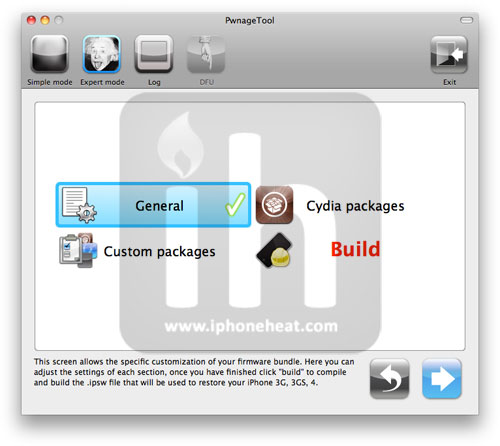

Keep hitting Next button until you’re back to the same screen where you selected General.
You’re now ready to begin the Pwnage process. Select the Build Option and Hit Next.


PwnageTool will prompt you to select a destination folder to save custom iOS 5.1.1;
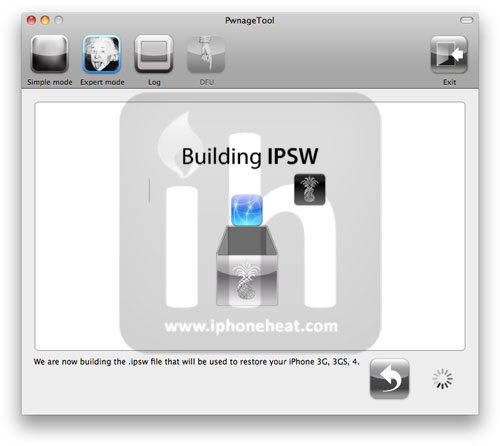
PwnageTool will start building your Custom IPSW;
During the build process, it’ll prompt you for your admin password.

Step 4
Once the custom IPSW has been built, PwnageTool 5.1.1 will ask you to connect your iDevice to your computer. Once connected, you’ll be instructed to put your iDevice into DFU mode;
Press and hold the power + home buttons for 10 seconds;
Release the power button but continue holding the home button for 10 seconds.


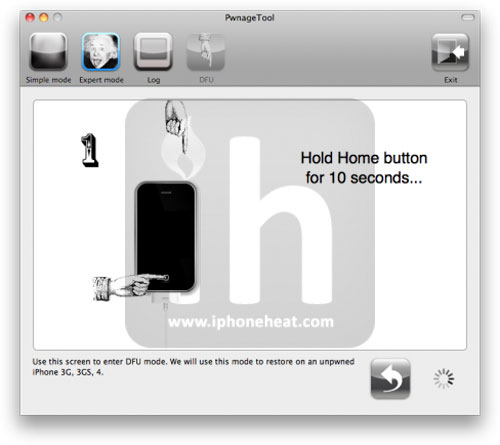
Once the iPhone/iPod Touch/iPad is in DFU mode, the following popup message will appear. iTunes will also pop-up.

Step 5
In iTunes, hold the Alt/Option key and hit Restore. From the popup window, browse to the folder where you saved custom iOS 5.1.1 and select your custom .ipsw file that you just created and click Open Button. (Make sure you’re selecting custom firmware, Not stock one)

iTunes will now restore the firmware on your iPhone/iPad/iPod Touch. This can take up to 10 minutes.
When done, you have successfully Jailbreak iOS 5.1.1 firmware untethered on iPhone 4/3GS/iPod Touch 4g/3G/iPad 1 with PwnageTool 5.1.1.
How to Jailbreak iPhone 3.1.3 Firmware
PwnageTool 3.1.5 can jailbreak iPhone 3.1.3 firmware on Mac OS X. PwnageTool along with jailbreaking, also preserves iPhone Baseband so that so may unlock it later. The following devices are supported by PwnageTool 3.1.5 running iPhone 3.1.3 firmware:
- iPhone 3GS (with early bootrom)
- iPhone 3G
- iPhone 2G
- iPod touch 1G
- iPod touch 2G (with early bootrom + pre-jailbroken)
Downloads
Step 1
Double click PwnageTool_3.1.5 dmg file to mount it.

Click and drag the PwnageTool icon to Pwnage Folder you created and then open it from there.
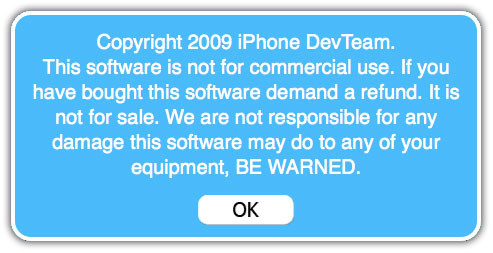
Warning Box will Popup. Just hit the OK button.
Step 2
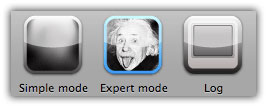
Make sure you select Expert Mode from the top menu
Step 3
Select your device. A big Green check mark will appear on the selected device.
Now hit the big Blue Arrow button at the bottom right to proceed.

Step 4
On the next page, PwnageTool will automatically find the IPSW file. If not found then click “Browse for IPSW” button and select the downloaded IPSW OS 3.1.3 file from the Pwnage folder. A check mark will appear next to it.

Then hit Blue Arrow Button to proceed.
Step 5
On the next page, you will have 6 choices. Select the General and hit Blue Arrow Button to proceed.

Step 6
This is the most important step. Please read carefully about selecting activate the phone option. You will know you didn’t choose the right option if you don’t have signal after jailbreaking.
On the next Page, you can decide your Root Partition Size where OS resides. Click Activate the phone (only if you’re on unofficial carrier).
***Deselect Activate the phone option if you are on official carrier. For the 3.1.3 firmware, you may have to increase the size of your root partition slightly for the IPSW build to be successful. I like 1GB.***

The Bootneuter settings are greyed out for the iPhone 3GS and 3G and iPod Touches. Click the blue arrow button.

The next screen will show the Cydia settings menu. It allows you to create custom packages so you do not have to manually install them later.

Go to Download packages tab.and hit the Refresh button to display all the available packages. Double click your desired package, it will be downloaded and will be available under the Select Packages tab.
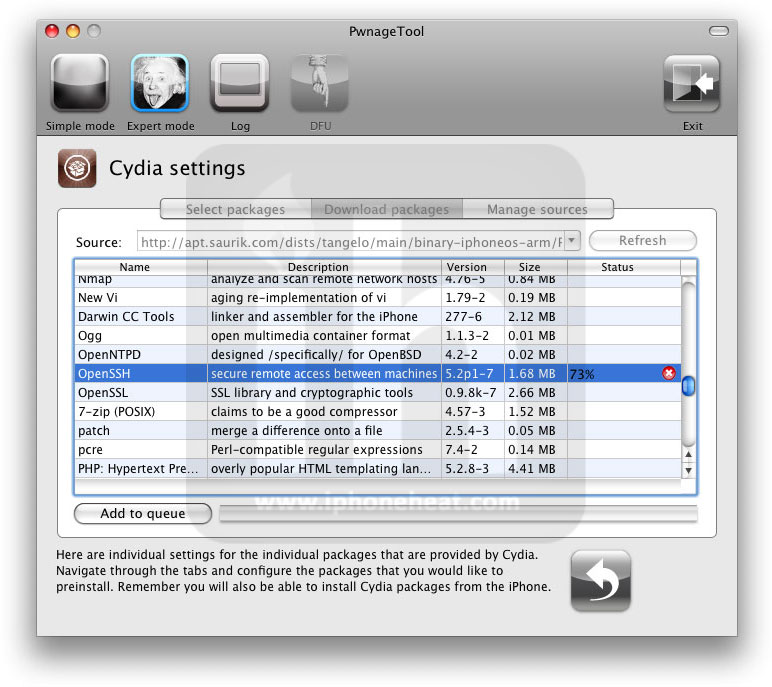
When you have downloaded your desired packages, go back to Select Packages tab and check to mark the ones you want.

then hit the Blue Arrow Button to proceed.
Custom Packages Settings will display listed package settings for your custom IPSW. Leave these settings as is for now. Just click the Blue Arrow Button to proceed.

On the next Custom Logos Settings menu, you’ll be able to add your own images as boot logos. Click the Browse button to select your Boot logo and Recovery logo. I just use defaults so deselected all options.

Click the blue arrow button to continue.
Step 7
Now you are ready to build your custom firmware. Click the build button to select it, then click the blue arrow button to proceed.

Step 8
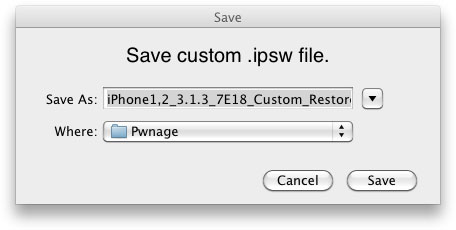
You will be asked to Save your custom .ipsw file. Save it to the same Pwnage folder.
Step 9
PwnageTool will start building your custom firmware. Wait until it’s done.

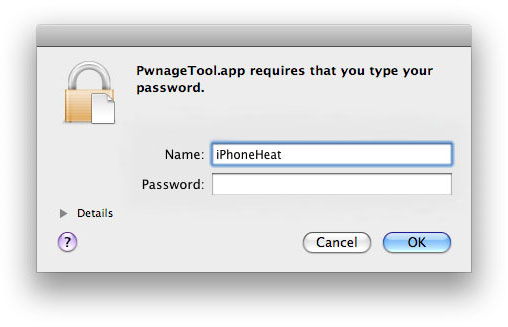
If prompted enter your Administrator password and click the OK button.
Step 10
When prompted if your iPhone has been Pwned before, Click No. It allows for a more thorough restore.

Step 11
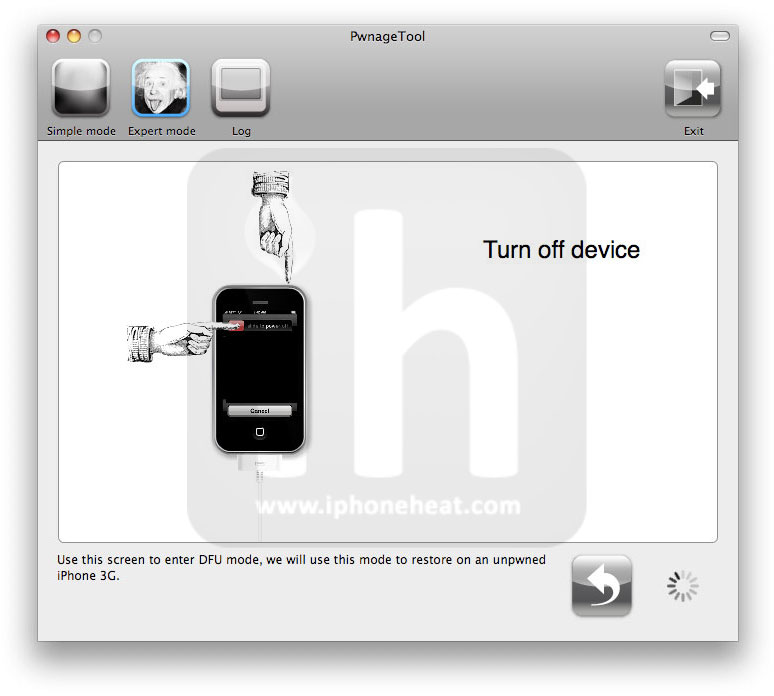
You will be asked to turn OFF the device. Make sure it is connected to the USB port.
Step 12
NOTE: If you’re already jailbroken (by whatever means), you don’t need to mess around with DFU mode at all. Just create (or get from a friend) your custom IPSW and Option-Restore (Shift-Restore on Windows) to it via iTunes. Don’t enter DFU mode at all. Please make sure you are restoring to the custom IPSW, not the stock one from Apple! For best results, use the latest iTunes (9.0.1) — which includes a nice new application organizer.
If it’s the first time you’re jailbreaking your iPhone, Be ready to follow directions now to get into DFU Mode.
- You will be asked to hold the home button and the power button for 10 seconds.
- Then, you will have to release the power button and hold the home button for 10 seconds to enter DFU.
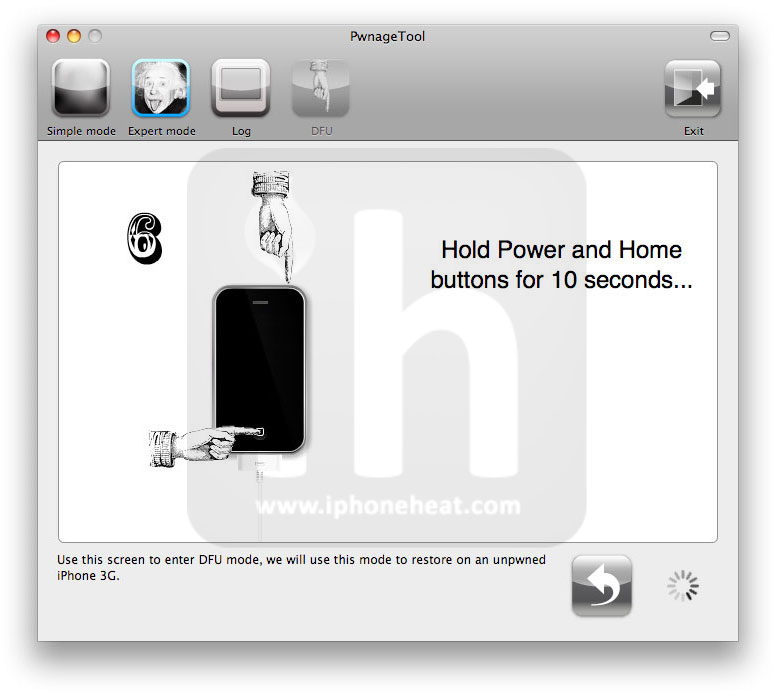

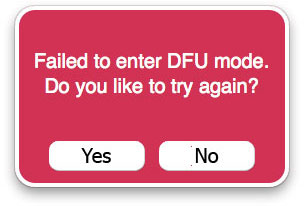
If you failed to follow the instruction, it will show you a message asking if you want to retry?. Click Yes.
Unplug the iPhone from the USB. Turn it OFF, then turn it back ON. Reconnect it to USB and turn OFF the iPhone when prompted.
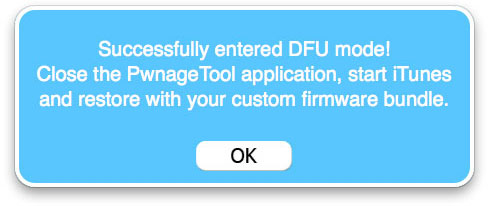
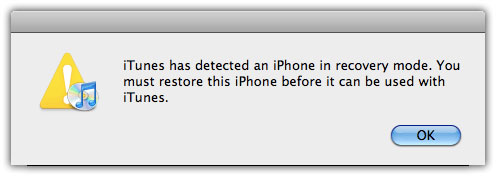
When followed correctly, PwnageTool will display a message telling you’re that it successfully entered DFU mode. iTunes will also pop-up.
Step 13
In iTunes, hold the Alt/Option key and hit Restore.

Step 14
from the popup window, browse to the Pwnage Folder and select your custom .ipsw file that you just created and click Open Button.
Step 15
iTunes will now restore the firmware on your iPhone. This can also take up to 10 minutes.
When done. You have successfully Jailbreak iPhone 3.1.3 firmware.
How to unlock iPhone 3GS, 3G 3.1.3 firmware with UltraSn0w
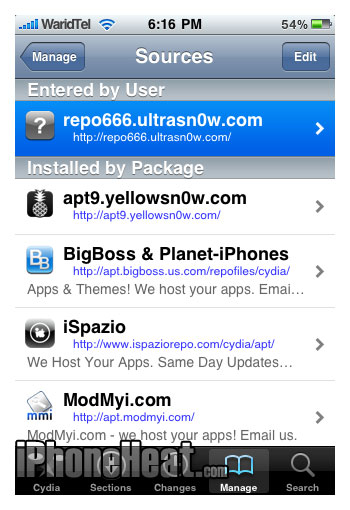
- Launch the Cydia from your iPhone Springboard.
- Go to Manage Tab at the Bottom.
- Press the Big Sources Button.
- Press the Edit button at the Top Right of the Screen.
- Then press the Add button on the Top left of the Screen.
- Input the following URL: http://repo666.ultrasn0w.com/ and hit Add Source button.
*** That last “o” is actually the number zero “0”! If you use the letter “o” you’ll get an error.
- When Cydia is done with adding Source, Hit the big Return to Cydia button.
- Press the Done button at the Top Right.
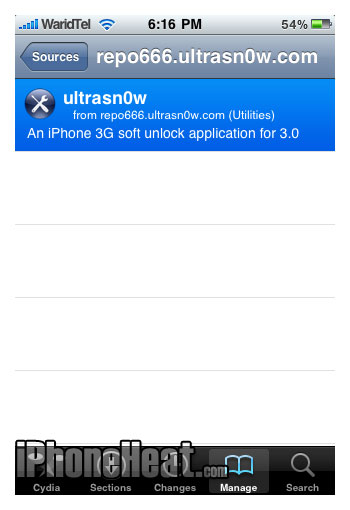
- Then Press repo666.ultrasn0w.com under the User-Added Sources.
- Select UltrSn0w from the list of packages.
- Hit the Install button at the Top Right corner.
- Then Press the Confirm button at the Top Right.
- When the Installation is completed successfully, press Return to Cydia button.
- Press the Home button to go back to SpringBoard. Then Turn your iPhone OFF by holding down the power button for 3 seconds and then dragging the Power slider that appears to the right. Now Turn the iPhone 3G back ON.

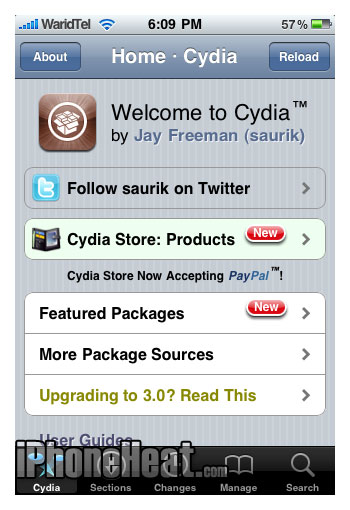
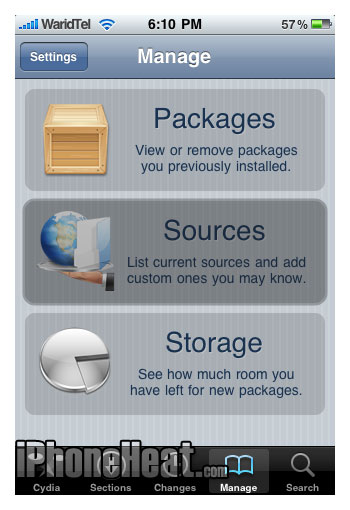

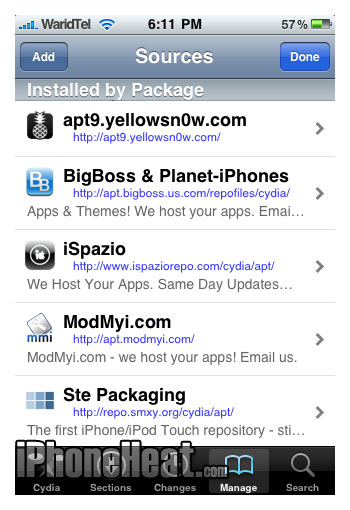




Enjoy the SIM of any carrier on your just Unlocked iPhone 3G on OS 3.1.3.